
Rental · Touchscreen monitors
32″ iiyama touchscreen hire — ProLite TF3239AS-B1AG

Turn a small display area into an interactive station where customers can explore your range for themselves. The 32-inch iiyama ProLite TF3239AS-B1AG touchscreen delivers clear Full HD visuals and precise 40-point touch control. Put catalogues, product configurators and multimedia apps where visitors engage directly with your brand.
The Open Frame design lets the display sit neatly in an exhibition counter, display wall or custom-built station. It supports portrait, landscape and face-up installation, while Touch Through-Glass technology lets visitors use the touchscreen through an extra layer of glass up to 6 mm thick. That gives you more freedom when designing interactive displays where every detail of the build matters.
Built-in Android 11 runs compatible apps directly on the display without a separate computer. 24/7 operation, an IP65-rated front and content management features support self-service use. The 32″ screen suits individual product demonstrations and areas where visitors look up information independently.
Quantityunits
We’ll confirm availability and pricing for your dates. Adding equipment to your enquiry does not reserve it.
01 / FEATURES AND APPLICATIONS
32″ iiyama touchscreen for interactive displays built into your stand
Exhibition stands, display counters and product demonstrations
On a well-designed stand, every element should support the brand presentation and make it easier to engage with visitors. The 32-inch iiyama touchscreen creates an interactive station where customers view a product, speak to sales staff or look for more information.
The 32″ format is particularly useful at exhibition counters, beside exhibits and in compact presentation areas. Visitors can browse catalogues and compare product versions, and the screen can enhance the physical display with extra photos, animations and technical details.
The Open Frame design lets you build the display into a suitable structure. The touch surface can become part of a counter, display wall or consultation point. The matte black housing works with contemporary finishes and keeps the focus on the content.
Hiring a 32-inch touchscreen for a trade show helps exhibitors use the space available for an interactive presentation. Give visitors more detailed materials they can browse easily and update them for each event, saving the need to print more catalogues.
Compact totems, interactive counters and touch tables
Multiple mounting orientations give stand designers more flexibility than a conventional wall-mounted display. The iiyama TF3239AS-B1AG can be mounted in landscape, portrait or facing upwards.
The 32″ touchscreen in portrait orientation works well as a compact information totem. It can show a product catalogue, event schedule, stand map or app that visitors browse independently. The narrow design suits a zone entrance, a position beside an exhibit or a built-in information point.
Landscape mounting is useful for configurators, visualisations and content that sales staff and customers can explore together. Build the screen into a consultation counter or a dedicated part of the display.
Face-up mounting makes the display suitable for smaller touch tables. Use it for interactive maps, site plans, development projects and educational apps. The table must provide a stable mount, suitable ventilation and easy access to the screen.
Touch through additional glass and station protection
For custom displays, a flush finish can help the screen blend into the stand. Touch Through-Glass technology lets you add an extra layer of glass while keeping the content interactive.
The TF3239AS-B1AG supports touch through an extra layer of glass up to 6 mm thick. You can place the screen under a suitable protective surface or build it into custom exhibition furniture.
The display’s IP65-rated front resists dust and jets of water within the limits of that rating. This is particularly relevant for self-service stations used by many visitors. The rating covers the front only, so the back, connectors and electrical installation need suitable protection.
The 3 mm glass with a hardness of 7H and the metal housing contribute to durability in professional installations. The Open Frame design makes it possible to build an attractive, easy-to-use station that can be reused at future events.
Full HD visuals and precise Bonded PCAP touch technology
When people use a display up close, colours and sharpness matter, along with how naturally it responds to touch. The iiyama TF3239AS-B1AG uses a Full HD IPS panel and Bonded PCAP for easy interaction with catalogues, configurators and multimedia apps.
At this screen size, 1920 × 1080 pixels works well for appropriately prepared photos, presentations and interfaces. The IPS panel offers wide 178° viewing angles, so content stays readable for people standing to one side.
The display’s 435 cd/m² brightness and AG anti-glare coating reduce the impact of reflections in lit venues. Edge-to-edge glass gives the display a clean finish, particularly when it is built into an exhibition stand.
Bonded PCAP supports up to 40 touch points with ±2.5 mm accuracy. Use the screen with a finger, a stylus or compatible latex gloves. Palm Rejection reduces accidental inputs when a hand rests on the surface, making it easier to explore interactive materials together.
Android 11, self-service stations and content management
An interactive station can run without a separate computer when the presentation uses compatible apps. The display’s built-in operating system makes setup simpler and reduces the amount of equipment needed.
The iiyama TF3239AS-B1AG runs Android 11 and has 4 GB of RAM and 32 GB of internal storage. It can run compatible apps, play multimedia and make a prepared presentation available to visitors. Kiosk mode lets you restrict access to system features to suit the station’s purpose.
iiSignage² supports content management and remote updates. EShare enables wireless sharing from compatible devices with a suitable network connection. FailOver lets you configure automatic switching between signal sources for presentations that run for several hours.
The display is rated for 24/7 operation, making it suitable for multi-day events and information points. CMP can help match the mounting, connections and setup to your project. If you need another screen size or design, see our other touchscreen displays.
02 / TECHNICAL SPECIFICATIONS
iiyama ProLite TF3239AS-B1AG technical specifications
| Manufacturer | iiyama |
|---|---|
| Series | ProLite |
| Model | TF3239AS-B1AG |
| Device type | Open-frame touchscreen monitor with Android |
| Nominal screen size | 32″ |
| Actual screen size | 31.5″ / 80 cm |
| Panel technology | IPS LED |
| Resolution | 1920 × 1080 px — Full HD |
| Refresh rate | 60 Hz |
| Aspect ratio | 16:9 |
| Panel brightness | 500 cd/m² |
| Brightness with touch panel | 435 cd/m² |
| Light transmission | 87% |
| Static contrast ratio | 1200:1 |
| Panel response time | 8 ms GTG |
| Viewing angles | 178° / 178° |
| Active display area | 698.4 × 392.8 mm |
| Pixel pitch | 0.363 mm |
| Number of display colours | 16.7 million — 8-bit |
| Touch technology | Bonded PCAP |
| Touch points | 40 |
| Touch accuracy | ±2.5 mm |
| Touch input | Finger, stylus, latex gloves |
| Touch interface | USB |
| Touch input through additional glass | Up to 6 mm |
| Palm Rejection | Yes |
| Protective glass | 3 mm |
| Glass hardness | 7H |
| Screen coating | Anti-glare AG, matt |
| Front protection | IP65 |
| Structure | Open-frame design, edge-to-edge glass |
| Enclosure | Metal |
| Operating system | Android 11 |
| Processor | 4 × Cortex-A73 + 4 × Cortex-A53 |
| Graphic layout | Mali-G52 MP8 |
| RAM | 4 GB |
| Internal storage | 32 GB |
| Built-in software | iiSignage², EShare, FailOver |
| Kiosk mode | Yes |
| HDMI inputs | 2 × HDMI 2.0 — max. 3840 × 2160 px at 60 Hz |
| DisplayPort | 1 × DisplayPort 1.2 — max. 3840 × 2160 px at 60 Hz |
| USB-A ports | 2 × USB 2.0 |
| Wi-Fi | No built-in module |
| Wired network | 1 × RJ45 LAN |
| Control | RS-232C / LAN |
| Audio output | 3.5 mm mini-jack |
| Built-in speakers | 2 × 10 W |
| HDCP | 2.2 |
| Image retention protection | Yes |
| OSD button lock | Yes |
| Remote control lock | Yes |
| Operating orientation | Landscape, portrait, face up |
| Operating mode | 24/7 |
| VESA mounting pattern | 200 × 200 mm |
| Mini PC mount | VESA 100 × 100 mm — Intel NUC |
| Optional mounting brackets | OMK4-4 |
| Monitor dimensions | 746.2 × 440.7 × 62.4 mm |
| Monitor weight | 13.2 kg |
| Power consumption | 50 W typical |
| Standby power consumption | 0.5 W |
| Power consumption when switched off | 0.3 W |
| Power supply | AC 100–240 V, 50/60 Hz |
| Operating temperature | 0–40°C |
| Energy efficiency class | F |
| Housing colour | Black, matt |
03 / CONFIGURATION AND INSTALLATION
Setup, installation and rental support from CMP
Integrating the touchscreen into exhibition counters and stands
The 32″ touchscreen creates a compact interactive station that fits into an exhibition stand without taking up much space. The Open Frame design is particularly useful when building it into counters, display walls or event-specific furniture.
The TF3239AS-B1AG weighs 13.2 kg and uses a 200 × 200 mm VESA mount. When planning the installation, we choose a bracket or structure based on the weight of the display, how it will be used and the pressure applied during touch operation.
Optional OMK4-4 brackets give you more flexibility when planning an Open Frame installation. We work with the stand contractor to agree the mounting cut-out, cable routing, technical clearance and a comfortable height for using the touchscreen.
The display works in landscape or portrait, so we choose the mounting orientation to suit the presentation. In portrait mode, it can act as an information point or a product catalogue. In landscape mode, it offers a convenient interactive surface at an exhibition counter.
Installing the screen as a compact touch table
Face-up operation lets you use the iiyama TF3239AS-B1AG in interactive tables and display consoles. Participants can easily reach the screen to browse and examine materials together.
Use the display for maps, development plans, product models, architectural visualisations and educational apps. With multi-touch support and suitable software, several people can use the station at once.
When designing the table, we account for secure mounting, a comfortable height, access to connectors and adequate ventilation. The installation must also meet the display’s cooling requirements for face-up operation.
For apps used from several sides, plan the interface so people can reach the main controls wherever they are standing.
Additional glass and preparation of the touch surface
Touch Through-Glass technology lets you fit the display behind an extra layer of glass up to 6 mm thick. This is useful when the screen needs a protective surface or a seamless finish within the display structure.
Choose suitable glass, a mounting method and the spacing from the display surface. Getting these details right keeps touch operation comfortable and accurate.
The IP65-rated front helps protect the screen surface in busy visitor areas. The rating applies to the front only. The back, connectors and electrical installation need suitable protection.
For trade shows, we agree the technical requirements with the stand contractor to achieve a clean finish while keeping the display accessible for servicing and providing suitable operating conditions.
Android 11, external computers and running apps
Built-in Android 11 lets you create a standalone interactive station with compatible apps, catalogues and multimedia. Some presentations can therefore run without a separate computer beside the display.
iiSignage² lets you manage content, while FailOver can automatically switch between signal sources. EShare supports presentation sharing from compatible devices once a suitable network connection has been set up.
If your project uses a specialist desktop application, connect the display to an external device via HDMI or DisplayPort. Touch control also requires a USB connection between the display and computer.
The additional 100 × 100 mm VESA mount lets you fit a compatible Intel NUC computer to the back of the setup. This keeps the installation compact and frees up space on the counter or inside the stand.
Touchscreen rental and technical support from CMP
We adapt the service to how you intend to use the display, the stand design and the requirements of the event.
Hire the 32″ touchscreen for collection from CMP’s Piła warehouse, with delivery and collection, or with installation and technical support to an agreed scope.
We can provide transport, a suitable mount, installation, equipment connections and setup for the presentation station. If the display will be built into an exhibition stand or used as a touch table, we agree the structural requirements with the stand contractor.
Customers with their own technical crew can hire the display for self-managed projects. Our quote takes into account the dates, location, hire period, installation method and any accessories or equipment needed.
04 / QUESTIONS AND ANSWERS
FAQs about hiring the 32″ iiyama touchscreen
What types of events suit the 32″ iiyama touchscreen best?
The display suits trade shows, product demonstrations, promotional events, conferences and interactive exhibits. It can serve as a product catalogue, part of an exhibition counter, an information point or a compact touch table.
Can the 32″ touchscreen be built into an exhibition stand?
Yes. The Open Frame design lets you fit the display into a suitably prepared exhibition counter, display wall or custom presentation station.
Can the monitor be installed vertically?
Yes. The TF3239AS-B1AG supports landscape and portrait orientations, so it can act as a presentation display or compact touchscreen totem.
Can the screen be used as a touch table?
Yes. The display supports face-up mounting. This configuration requires a stable structure, suitable ventilation and adequate cooling.
Does the touchscreen work through an extra layer of glass?
Yes. Touch Through-Glass technology supports touch through an extra layer of glass up to 6 mm thick when the installation is properly prepared.
Does the monitor have Android built in?
Yes. The iiyama TF3239AS-B1AG runs Android 11, so it can run compatible apps and show content without a computer.
Does the display show 4K UHD images?
No. The panel’s native resolution is 1920 × 1080 pixels — Full HD. The display can accept a 4K signal through a suitable input and shows the image at the panel’s own resolution.
Can several people use the screen at the same time?
Yes. Bonded PCAP supports up to 40 touch points, allowing several people to use a compatible app at the same time.
Can I use the touchscreen with gloves?
Yes. The touchscreen can be operated with a finger, stylus or suitable latex gloves.
Is the display protected against dust and water?
The front of the display is rated IP65. The rating applies to the front only. The back, connectors and electrical installation need suitable protection.
Can my own computer be connected?
Yes. The display has two HDMI inputs and DisplayPort. For touch control from an external computer, you also need a suitable USB connection.
Does the monitor have a USB-C input?
No. The TF3239AS-B1AG uses HDMI and DisplayPort for video and USB for touch control and peripherals.
Can presentations be shared wirelessly?
Yes. EShare lets you share content from compatible devices once you have the right network connection and have configured the app.
Can the monitor run around the clock?
Yes. The device is designed for 24/7 operation when the required installation and cooling conditions are maintained.
Does the rental include a stand and installation?
We agree the hire scope with you. We can include a compatible mount, transport, installation and the agreed technical support.
What affects the hire price for the 32″ iiyama touchscreen?
The hire price depends on the hire period, event location, mounting method, required accessories and the agreed transport and technical support.
What information do you need for a quotation?
Tell us the event date and location, how you plan to use the display and whether it needs to be mounted in portrait, landscape, built into a stand or used as a touch table. Include any requirements for extra glass, a computer or a dedicated app in your enquiry.
Let’s choose the equipment for your event.
Send us your plans, sample content or an early idea. Our specialists will help you choose suitable equipment and plan how to use it.
Ask for help choosing equipmentCompare similar touchscreen sizes
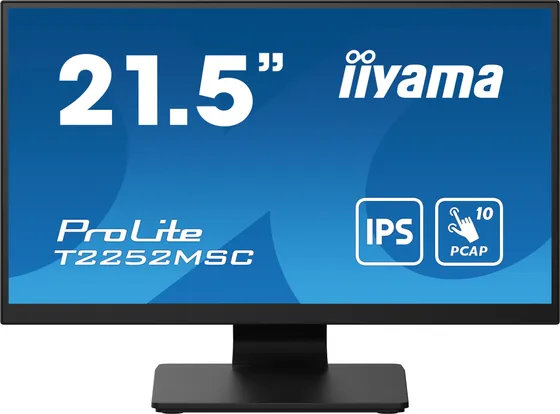
iiyama 21.5″ touchscreen monitor
Brand: iiyamaModel: T2252MSC-B2
BlackMultiTouch
View details →
unitsunits
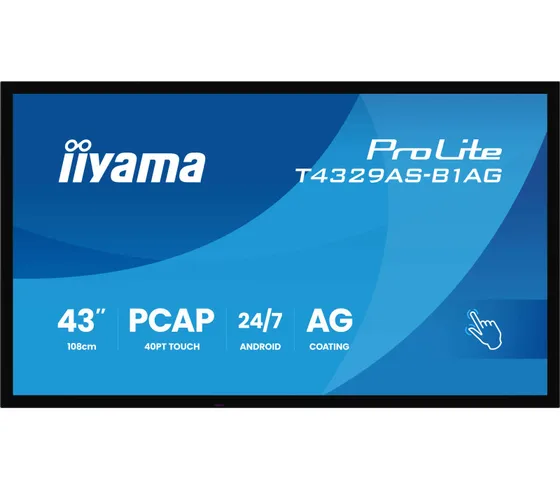
iiyama 43″ touchscreen monitor
Brand: iiyamaModel: T4329AS-B1AG
BlackMultiTouch
View details →
unitsunits