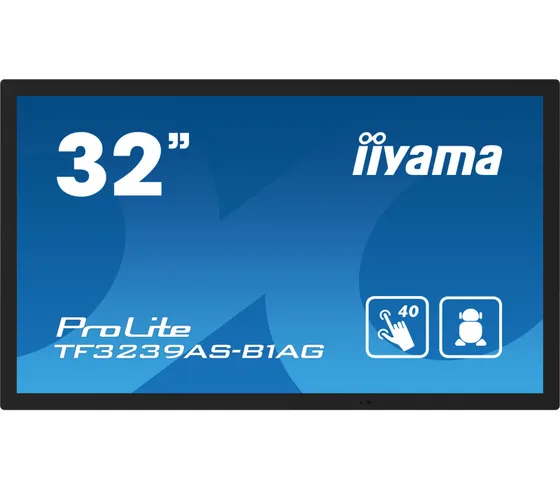
iiyama 32″ touchscreen monitor
Brand: iiyamaModel: TF3239AS-B1AG
BlackMultiTouch
View details →
unitsunits


Let customers explore your range where you show products and hold sales conversations. The 27-inch iiyama ProLite T2736MSC-B1 touchscreen offers clear Full HD images and intuitive 10-point touch control. Use catalogues, configurators and presentation apps to introduce products, compare options and review details together.
The compact screen and adjustable stand suit exhibition counters, consultation points and product displays. A wide tilt range lets you set the touchscreen at a comfortable angle for both the presenter and the customer. Edge-to-edge front glass gives the screen a clean finish that fits a modern stand.
The display connects to an external computer, so you can choose your software and how to present your content. Bring your own apps, specialist configurators or company product catalogues and use precise PCAP touch with a straightforward USB connection. It suits events where customer interaction matters just as much as the way you present your range.
01 / FEATURES AND APPLICATIONS
At a trade show, a conversation beside the product often determines whether visitors want to know more. Being able to show options, detailed photos and extra features quickly helps you answer questions and tailor the presentation to the customer.
The 27-inch iiyama touchscreen suits exhibition counters and consultation points where the customer stands directly in front of it. Sales staff can browse the catalogue with them, select configurations and show multimedia without printed brochures.
The 27″ size lets you place the display beside an exhibit, material samples or stand fittings. The digital presentation complements the physical display and lets visitors explore the details on their own.
Hiring a 27-inch touchscreen for a trade show gives exhibitors an interactive way to present products in limited space. The display has a compact footprint and gives visitors easy access to detailed sales materials.
During a complex product demo, let customers choose what they want to explore. An interactive catalogue lets them move between categories, browse photos, compare specifications and review options without separate printed materials.
A touchscreen makes product configurators easy to use at a sales counter. The customer can choose colours, features, finishes or other options, while the presenter can explain how each is used.
Interior furnishing companies can use the screen to show collections and room layouts. Technology companies can demonstrate software interfaces. At meetings with distributors, presenters can switch quickly between products and their visual documentation.
A 27-inch touchscreen is particularly useful for one-to-one demonstrations, where the customer is close to the display and needs easy access to interactive elements. A well-designed app can help you guide an engaging, structured conversation.
For a touchscreen that people use directly, the position matters as much as picture quality. The right tilt angle makes the controls easy to reach, the interface readable and the presentation comfortable to run.
The iiyama ProLite T2736MSC-B1 has a sturdy stand with a wide tilt range. Tilt the screen back by up to 73° or forwards by 3° to suit the height of the counter and the user’s position.
This is particularly useful at consultation counters and for demos in which customers make selections on screen. Set the display more upright for watching content or tilt it back for comfortable touch operation.
Adjust the tilt without a separate mounting mechanism. The display can be used in different stand layouts and quickly adjusted to the working position.
For presentations viewed up close, users need to see fine details in images and interfaces. The T2736MSC-B1 uses a 1920 × 1080-pixel AMVA panel for a clear image across its 27-inch screen.
The 3000:1 static contrast ratio makes highlights and dark areas easy to distinguish, while the wide 178° viewing angles help several people follow the presentation together at the stand.
The display delivers 255 cd/m² with the touch panel, suitable for presentations indoors under controlled lighting. The glass surface gives it a clean finish and is comfortable for working with interactive apps.
Capacitive PCAP supports up to 10 touch points. Operate the screen with a finger, a suitable stylus or compatible latex gloves. Palm Rejection reduces accidental inputs when a hand rests on the screen.
For professional demonstrations, the ability to use your existing software is often essential. Custom configurators, sales apps and demo systems can require a specific operating environment and access to company data.
A touchscreen without Android, such as the iiyama T2736MSC-B1, lets you run the presentation from a computer of your choice. Use your own software, operating system and materials prepared for the event.
Use HDMI, DisplayPort or VGA for video. Touch control requires a separate USB connection to a compatible computer. The display also has a four-port USB 3.0 hub for connecting peripherals at the station.
This setup suits trade shows, technology presentations, business meetings and software demos. If you need a larger screen or a built-in operating system, see our other touchscreen displays.
02 / TECHNICAL SPECIFICATIONS
| Manufacturer | iiyama |
|---|---|
| Series | ProLite |
| Model | T2736MSC-B1 |
| Device type | Touchscreen display with an adjustable stand |
| Screen size | 27″ / 68.6 cm |
| Panel technology | AMVA LED |
| Native resolution | 1920 × 1080 px — Full HD |
| Refresh rate | 60 Hz |
| Aspect ratio | 16:9 |
| Panel brightness | 300 cd/m² |
| Brightness with touch panel | 255 cd/m² |
| Light transmission | 85% |
| Static contrast ratio | 3000:1 |
| ACR dynamic contrast | 12 000 000:1 |
| Panel response time | 4 ms GTG |
| Viewing angles | 178° / 178° |
| Active display area | 597.6 × 336.15 mm |
| Pixel pitch | 0.311 mm |
| Number of display colours | 16.7 million |
| Touch technology | PCAP capacitive touch |
| Touch points | 10 |
| Touch input | Finger, suitable stylus, compatible latex gloves |
| Touch interface | USB |
| Palm Rejection | Yes |
| Protective glass | 2.2 mm |
| Glass hardness | 7H |
| Front design | Edge-to-edge glass |
| Built-in operating system | None |
| Compatible operating systems | Windows, Linux — subject to touch function support |
| HDMI input | 1 × HDMI |
| DisplayPort | 1 × DisplayPort |
| VGA | 1 × VGA |
| USB hub | 4 × USB 3.0 |
| Wi-Fi | No built-in module |
| Bluetooth | No built-in module |
| USB-C | None |
| Built-in speakers | 2 × 2 W |
| HDCP | Yes |
| OverDrive | Yes |
| Blue light reduction | Yes |
| OSD button lock | Yes |
| Kensington Lock slot | Yes |
| Tilt adjustment | 73° back, 3° forwards |
| Base | Adjustable, integrated |
| VESA mounting pattern | 100 × 100 mm |
| Dimensions with stand | 659.5 × 444 × 220.5 mm |
| Monitor weight | 7.4 kg |
| Power consumption | 28 W typical |
| Standby power consumption | 0.5 W |
| Power consumption when switched off | 0.5 W |
| Power supply | Internal |
| Power supply | AC 100–240 V, 50/60 Hz |
| Energy efficiency class | F |
| Housing colour | Black, matt |
03 / CONFIGURATION AND INSTALLATION
A 27″ touchscreen makes a compact station possible without a large footprint or an elaborate stand build. The integrated stand lets you place the display on a suitable counter, desk or demonstration surface.
The T2736MSC-B1 weighs 7.4 kg and has a wide tilt range. It can be positioned at a comfortable angle for viewing content and using the touchscreen directly.
Allow for counter height, access to connectors, space for the computer and cable routing. The display should be stable so people can use the touchscreen comfortably during the demo.
For trade shows, we position the display to suit the stand design and how you plan to talk to customers. You can combine a physical display with an interactive catalogue while keeping space for the products.
The display can sit on its original stand or fit a compatible mount with the 100 × 100 mm VESA pattern.
This works for consultation stations where the screen needs to be positioned comfortably for the user, as well as for custom presentation installations.
We choose the mount based on the display weight, ease of touch operation and stability of the whole structure. The cables and monitor controls must remain accessible.
This model is unsuitable for Open Frame or face-up installation. When integrating it into furniture or a presentation station, account for the housing, dimensions and permitted mounting methods.
The iiyama T2736MSC-B1 requires an external computer to run interactive apps because it has no built-in operating system.
Use HDMI, DisplayPort or VGA for video. Connect the display to the computer by USB to enable touch control.
The display works with compatible Windows and Linux systems, so you can use your own software, company product catalogues and apps prepared for the event.
Before presenting, check touch response, image resolution and interface scaling. This keeps buttons, navigation and on-screen content easy to use.
Clear content matters on a 27″ screen. Users are usually close to the display, so make buttons easy to read, leave enough space between controls and keep navigation simple.
An interactive catalogue can take customers from an overview of your range to details on specific products. A configurator lets them select versions, compare options and see prepared visualisations.
The adjustable stand lets you position the screen for the way people use the app. A more upright position suits viewing a presentation. Tilting the screen back makes it easier to use touch controls.
Within the agreed technical support scope, CMP can set up the connections, start the display and check the presentation before the event.
We adapt the service to the project, the way the screen will be used and the organiser’s technical resources.
You can hire the touchscreen monitor for collection from CMP’s warehouse in Piła, book delivery and collection, or hire it with installation and an agreed level of technical support.
We can provide transport, a suitable mount, connection to a computer and setup of the presentation station. For projects that need several displays or additional AV equipment, we agree the scope individually.
Customers with their own crew can hire the display for self-managed projects. We base the quote on the dates, location, hire period, installation method and required accessories.
04 / QUESTIONS AND ANSWERS
The display works well at trade shows, product demos, business meetings, conferences and software demonstrations. It is particularly useful at exhibition counters, consultation points and close-up exhibits.
Yes. Use it for product catalogues, configurators and multimedia apps. Its compact size and adjustable stand make it easy to position at a sales counter.
No. The T2736MSC-B1 has no built-in operating system. A compatible computer is required to run interactive apps.
Yes. The display has HDMI, DisplayPort and VGA inputs. Touch control also requires a USB connection between the display and the computer.
Yes. The display supports up to 10 touch points, so several people can use a compatible app at the same time.
Yes. The stand lets you tilt the screen back by up to 73° and forwards by up to 3°, so you can find a comfortable angle for touch operation.
Yes. It supports a 100 × 100 mm VESA mounting pattern for use with a suitable bracket.
Portrait operation is unconfirmed for this model. A VESA mounting pattern alone does not establish that portrait use is supported.
This model is unsuitable for face-up installation. Choose a display with confirmed support for face-up operation for that type of setup.
Yes. The capacitive touchscreen can be operated with a finger, a suitable stylus or compatible latex gloves.
No. The display has no built-in Wi-Fi or Bluetooth. These features are available through a computer with the appropriate hardware.
No. Video uses HDMI, DisplayPort or VGA, and touch control uses a USB connection.
Yes. The iiyama T2736MSC-B1 has a four-port USB 3.0 hub for connecting compatible peripherals.
Yes. It has two speakers rated at 2 W each. You can use a separate sound system if you need more output for the presentation.
We agree the hire scope with you. We can include a compatible computer, a suitable mount, transport and technical support, depending on the project.
The rental price depends on the rental period, event location, mounting arrangement, equipment required and the transport and technical services you choose.
Tell us the event dates and location, how you plan to use the display and whether it will sit on its stand or use a mount. Include any requirements for a computer, extra equipment or technical support in your enquiry.
Send us your plans, sample content or an early idea. Our specialists will help you choose suitable equipment and plan how to use it.
Ask for help choosing equipment
09 / CONTACT
Planning an event or looking to rent equipment? Get in touch and tell us what you need. We help you choose a setup that suits your project, the available space and your budget. We prepare proposals for full technical event production and quotations for AV equipment rental.Send us your brief and any dates and locations already confirmed. You can also start with a general idea. Together we will work out the details we need to prepare a proposal. Call, email or use the enquiry form.
10 / COMPANY DETAILS
ul. Jana Styki 3
64-920 Piła, Poland
NIP: 7642722129
KRS: 0001128230
REGON: 529696130
District Court Poznań – Nowe Miasto and Wilda in Poznań
IX Commercial Division of the National Court Register